End-to-end authorization via OAuth 2.0: how we combined 6 services on 1C-Bitrix
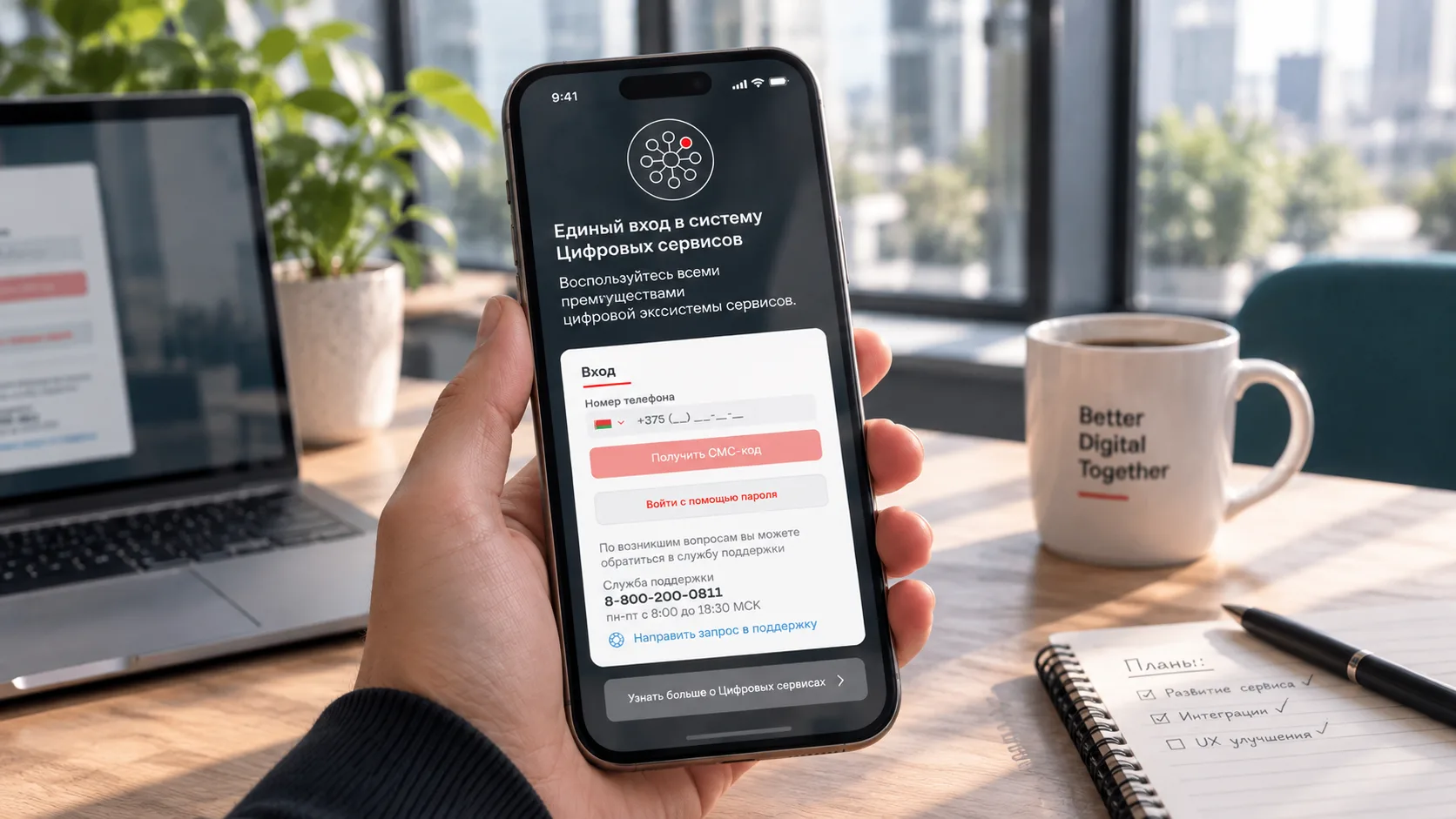
On a large project, there were 6 1C-Bitrix services, each with its own authorization. The business decided to create a single entry point on Laravel. We implemented end-to-end authorization via OAuth 2.0, created technical users for API exchanges, optimized the transfer of large objects, and then finalized the redirect mechanism for guest services and direct links to files. The client logs in once and gets into any service without logging in again.
The Challenge: 6 Services — 6 Separate Authentication Systems
When we joined the project, it consisted of six services built on 1C-Bitrix, each with its own authentication system. In our previous article, we briefly touched on authentication.
What did this mean in practice?
-
Users had to register and log in to each service separately.
-
Customer databases were duplicated or fell out of sync.
-
There was no single source of truth for user identities: the same customer could have different data across services.
-
Support teams couldn't see the complete picture of a user's activity and information.
The business made a decision: a centralized authentication service running as a separate application was needed.
The architect chose Laravel for this purpose. That's when we joined the project.
Architecture: A Centralized Authentication Service + 6 Bitrix Services
We designed a system in which:
-
The Laravel authentication service acts as a single entry point for all users.
-
Six 1C-Bitrix services authenticate users through OAuth 2.0.
-
Technical API users are created for each Bitrix service.
Why Technical Users Were Needed
For each Bitrix service, we created a dedicated technical user for API communication. This solved several problems:
-
Retrieving user permissions according to the role-based access model we covered in our previous article.
-
Internal data exchange, including synchronization between services.
-
A unified user identity for customer authentication, allowing customers to log in to any service through the centralized authentication system.
How Single Sign-On Works
The user journey for customers and internal users:
-
The user signs in to the authentication service.
-
They see a service selection menu listing the systems available to them.
-
They select the service they need.
-
They are redirected to that service through OAuth 2.0.
-
The service header displays a list of available services, allowing users to switch directly between services without returning to the authentication application's menu.
Everything worked as expected. But then we discovered a problem.
The Problem: Authentication Delays
After implementing single sign-on across the Bitrix services, we noticed a delay when entering a service, even when the user was already authenticated.
We analyzed the data exchanges and identified the cause. The Bitrix services were receiving two large objects.
1. The Customer Object
It contained all the required collections and relationships. The more customer data it included, the larger the object became — and the longer it took to transfer over the network.
2. The Object Containing All Services
This object contained a list of all services, including their names, descriptions, and SVG image code. The SVG code was stored in the authentication service and transferred to the Bitrix service every time, simply to display service icons in the header.
Transfer time: a couple of seconds. For the business, this was a critical issue.
The Solution: Reduce Payload Sizes
We optimized both objects.
What we changed:
-
Customer object: We reduced it to the bare essentials, removing unnecessary collections and relationships and keeping only the data the Bitrix service actually needed to operate.
-
Services object: We removed the embedded SVG code. Instead of transferring the entire SVG markup, we now send a link to the SVG file. The image is loaded separately rather than being included in the main payload.
The result: The delay disappeared, and authentication became fast.
A New Challenge: Guest Access to Services
Everything was working well. But some services, such as the Marketplace, also support guest users.
Consider this scenario:
-
A customer visits the Marketplace without signing in.
-
They add items to their shopping cart.
-
When they try to place an order, authentication is required.
Without additional changes, the process would look like this:
-
The customer is redirected to the authentication service.
-
They sign in.
-
They search for the Marketplace among the available services.
-
They navigate back to their shopping cart.
Too many steps, too much friction. The customer might simply abandon the process.
The Solution: An Internal Redirect System
We implemented an internal redirect mechanism to handle these scenarios.
Here's how it works:
-
The user clicks the login button on a guest-accessible service.
-
A GET parameter containing the current page URL is added to the authentication link.
-
The user is redirected to the authentication service.
-
The authentication service reads the GET parameter.
-
Once authentication is complete, the user is redirected back to the original page.
The result: The customer returns to exactly where they left off and can continue placing their order.
Another Challenge: Direct Links to Files
The guest access issue was resolved, but another challenge emerged.
Consider this scenario:
-
An unauthenticated user receives a direct link to a file — for example, a signed document, an invoice, or another business document.
-
They cannot download it without signing in.
-
They don't know where to go to find the file after logging in.
The Solution: A Dedicated File Delivery Flow
We implemented a separate workflow for delivering files.
Here's how it works:
-
We added a
serviceGET parameter to identify which service the request originated from. -
The customer clicks the file link.
-
They are redirected to the authentication service.
-
They sign in.
-
Using the API, we contact the appropriate service and request the document.
-
We deliver the file directly to the customer as a resource, allowing them to download it.
The result: Customers can access their documents even when they receive a link by email and aren't already authenticated.
The Takeaway: More Than Just OAuth
We didn't just implement single sign-on through OAuth 2.0. We also extended the redirect mechanism to support different business scenarios:
-
Fast access to services without authentication delays.
-
Returning users to their original page after signing in.
-
Delivering files through direct links.
All of this was designed to make life easier for customers.
Technology Stack
-
Authentication service: Laravel (PHP)
-
Services: 1C-Bitrix
-
Authentication: OAuth 2.0
-
Data exchange: API, JSON
What We Learned
1. Single Sign-On Is More Than OAuth
OAuth 2.0 addresses the authentication flow, but real-world scenarios — guest access, shopping carts, and direct file links — require additional redirect logic.
2. Data Exchange Optimization Matters
A delay of a couple of seconds might seem insignificant. For a business, however, it can have a serious impact. Reducing payload sizes and replacing embedded SVG code with links were simple changes that delivered a significant improvement.
3. Don't Forget Guest Users
Not every user is authenticated. Guest journeys are often overlooked, yet this is precisely where businesses can lose customers.
4. Direct File Links Need a Dedicated Flow
A file link received by email represents a distinct user journey. It needs to be designed as a separate scenario rather than relying on users to figure things out for themselves.
Conclusion
This story demonstrates that implementing single sign-on isn't just about setting up OAuth and moving on. It's about designing complete user journeys: fast authentication, returning users to their original pages, supporting guest shopping carts, and delivering files through direct links.
We worked through these challenges and extended the redirect mechanism to support different business scenarios. Users authenticate once and get straight to where they need to be.