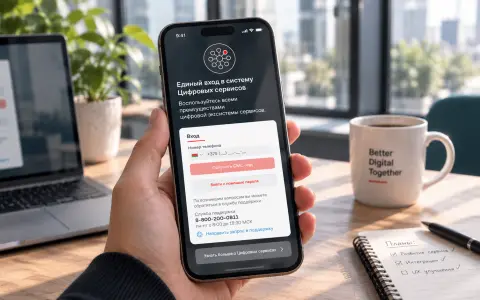
Laravel Mailing service: how we combined email and SMS sending for all internal services
In a large project, each service sent emails and SMS in its own way: code duplication, lack of a status dashboard, and long improvements. We have designed a single mailing service on Laravel and RabbitMQ from three solutions — dashboard, API and sender. Providers connect once, statuses are visible through aggregators' webhooks, and the team no longer spends time on duplicate integrations.
The Problem: Messaging Bottlenecks
Let’s start with the context. We were involved in a large project comprising multiple portals built on the 1C-Bitrix platform. Each solution served a specific purpose. Authentication across all solutions used OAuth 2.0 through our Laravel module. Most services sent emails to customers, while some also sent SMS messages.
At first glance, everything worked. But a closer look revealed accumulating technical debt:
- Each service had its own integration with messaging providers. The same sending logic was duplicated across multiple solutions.
- Support was centralized, but the sending code was scattered across services, so fixing bugs meant making changes in several places.
- There was no dashboard. We could not tell whether a message had been sent or what its status was.
- Changes to messaging functionality had to be implemented separately in each service. With the team already busy, the business faced long waits for updates.
Every new change became a small project: updating multiple services together, testing each integration, and keeping track of which provider was connected where.
The Idea: A Unified Service
Initially, the task sounded modest: develop a messaging module for the authentication service. But we proposed taking it further by building a unified messaging service for all internal services. The business approved the idea.
Why was this better than adding another module?
- One integration instead of several. Providers are integrated once, rather than separately in every service.
- A consistent API for all internal services. Sending messages and retrieving their status follow the same protocol.
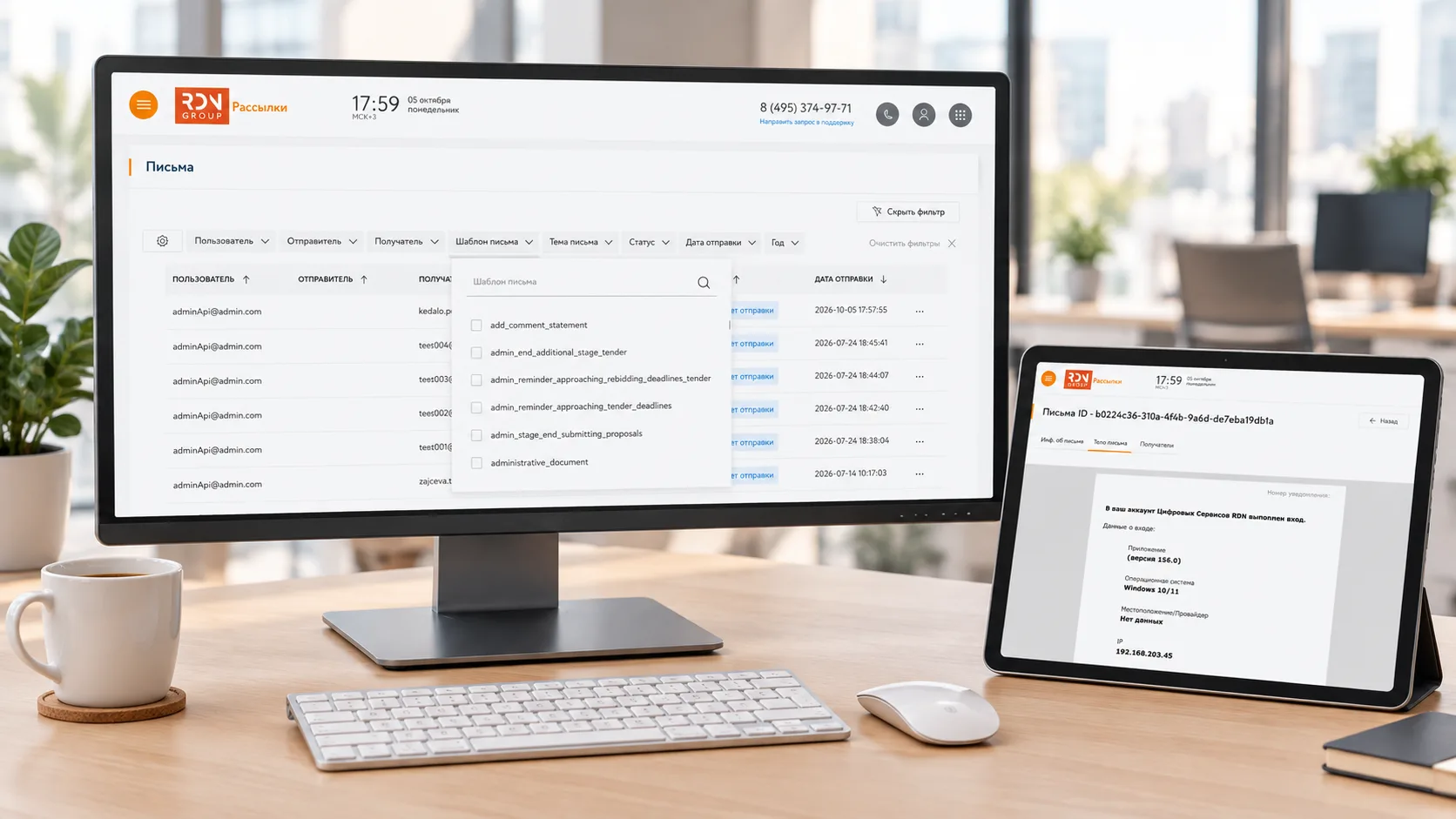
- A centralized dashboard for delivery statuses and error logs. Support staff can access information about outgoing messages.
- Template and logic changes in one place. The business gets updates faster.
There was another driver: all services used Mailchimp, and we needed to migrate to a new solution for the Russian market because Mailchimp was expected to be blocked.
Messaging Service Architecture
We split the system into three components. Each has a specific responsibility and communicates with the others through clearly defined contracts.
1. Dashboard
The dashboard is a browser-based interface that brings together all operational information:
- Email and SMS sending records
- API clients and client management actions
- Error logs
- Email and SMS templates
This is where the frontend developer creates and updates templates.
2. API
The API accepts requests through the relevant channel: incidents in OMNITRACKER, email through DashaMail, UniSender, or our own email delivery service, and SMS through MTS Marketolog or MTS Communicator. After validating the request, it queues jobs in RabbitMQ.
3. Sending component
RabbitMQ jobs are the only interface for submitting work to this component. It consumes jobs as they arrive in the queue and retrieves templates from the dashboard component through its API.
This separation made the system flexible: the sender does not need to know how the API or dashboard works. It processes queued jobs, using the dashboard API to retrieve templates. This simplifies scaling and failure isolation.
Workflow and RabbitMQ
Here is the complete workflow, from updating a template to retrieving a message’s delivery status:
- The business requests a change to an existing email template or the creation of a new one.
- A frontend developer creates or updates the template in the template management component. We then release the changes.
- We provide internal service teams with instructions for using the new or updated template through the API, including how to send an email and retrieve its status.
- A client service calls the API to initiate sending. The messaging service validates the request, places a sending job in the queue, and processes it.
- The messaging service receives delivery status updates through provider webhooks.
The service integrates with three email providers and two SMS providers. This setup provides redundancy: if one provider is unavailable, messages are sent through another.
Why RabbitMQ
The message queue became the link between the API and the sender. This provided several important benefits:
- Asynchronous processing. The client service does not wait for the email to be sent; it receives confirmation that the job has been accepted.
- Reliability. The queue retains jobs until they are processed, preventing them from being lost during failures.
- Separation of responsibilities. The sender can be scaled independently of the other components.
Importantly, we configured the consumer to acknowledge a RabbitMQ message only after the job completes successfully. This prevents jobs from being lost when they have been picked up for processing but have not completed.
Results and Lessons Learned
After the messaging service was introduced, internal services no longer needed to rework their provider integrations. They simply used a standardized interface to send messages.
The main results were:
- Less time spent maintaining messaging functionality in internal services.
- More team capacity available for higher-priority business features.
- Greater visibility. The dashboard displays delivery statuses that were previously unavailable.
- Faster template updates. Changes are made in one place, so the business no longer faces long waits.
The key lessons we took away from this project were:
- Centralizing messaging pays off when multiple services duplicate the same integrations. One shared service means less code, fewer bugs, and faster changes.
- Separating the dashboard, API, and sender, with a queue connecting the API and sender, makes the system flexible and scalable. Each component can evolve independently.
- Provider webhooks provide visibility into delivery statuses that was previously missing. The business can see whether a message was sent.
- It is worth proposing a broader solution to the business. A request to “build a module” became an architectural improvement that saved time across the entire team.
If you have multiple services, each sending email and SMS in its own way, consider a unified messaging service. This is one of those cases where investing in architecture pays off quickly.